
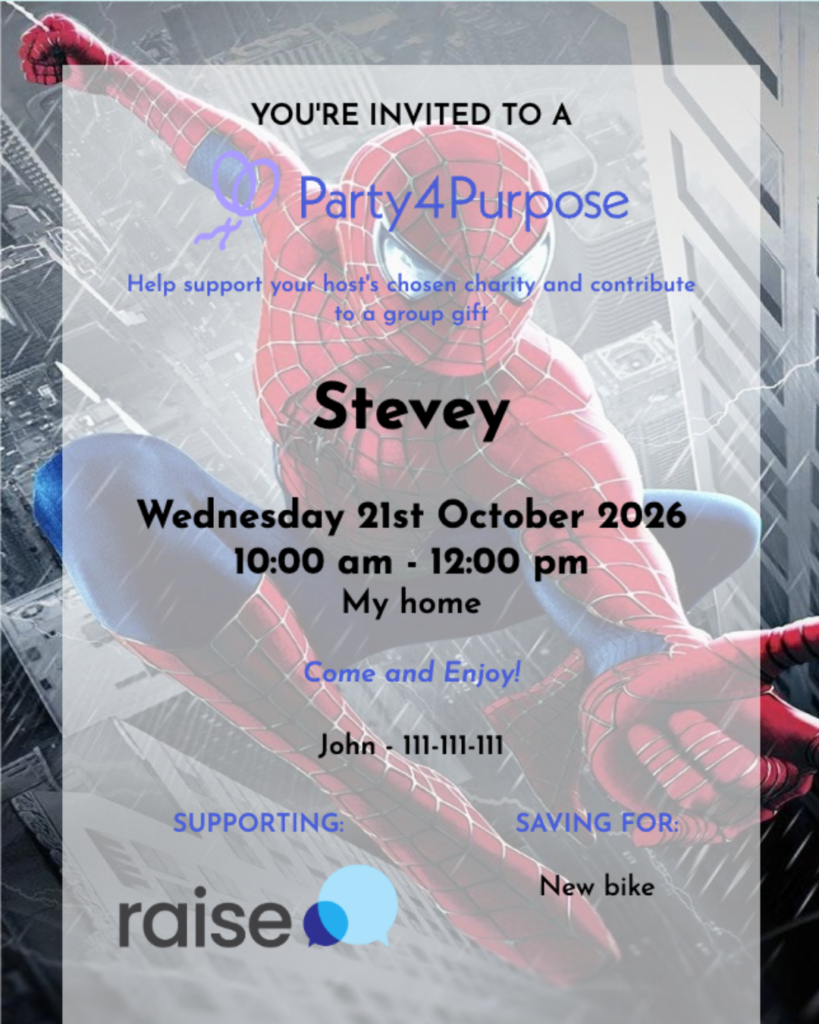
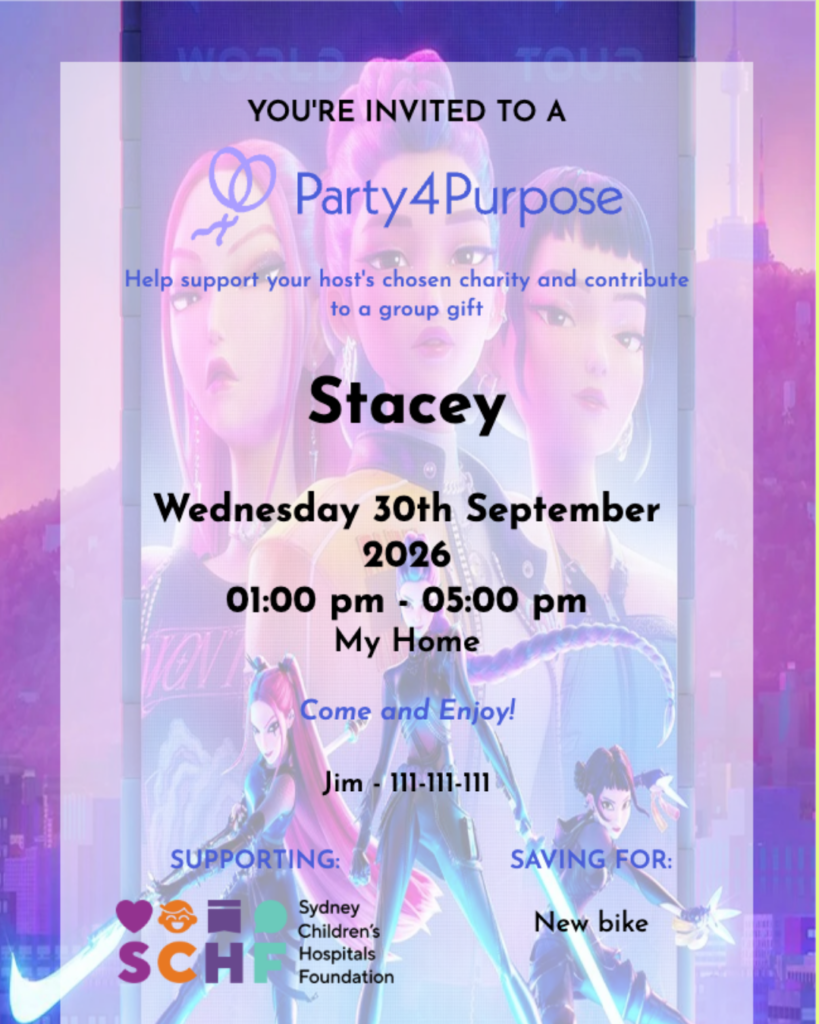
Your Party4Purpose invitation is fully customisable, so your celebration page can look and feel like your party.
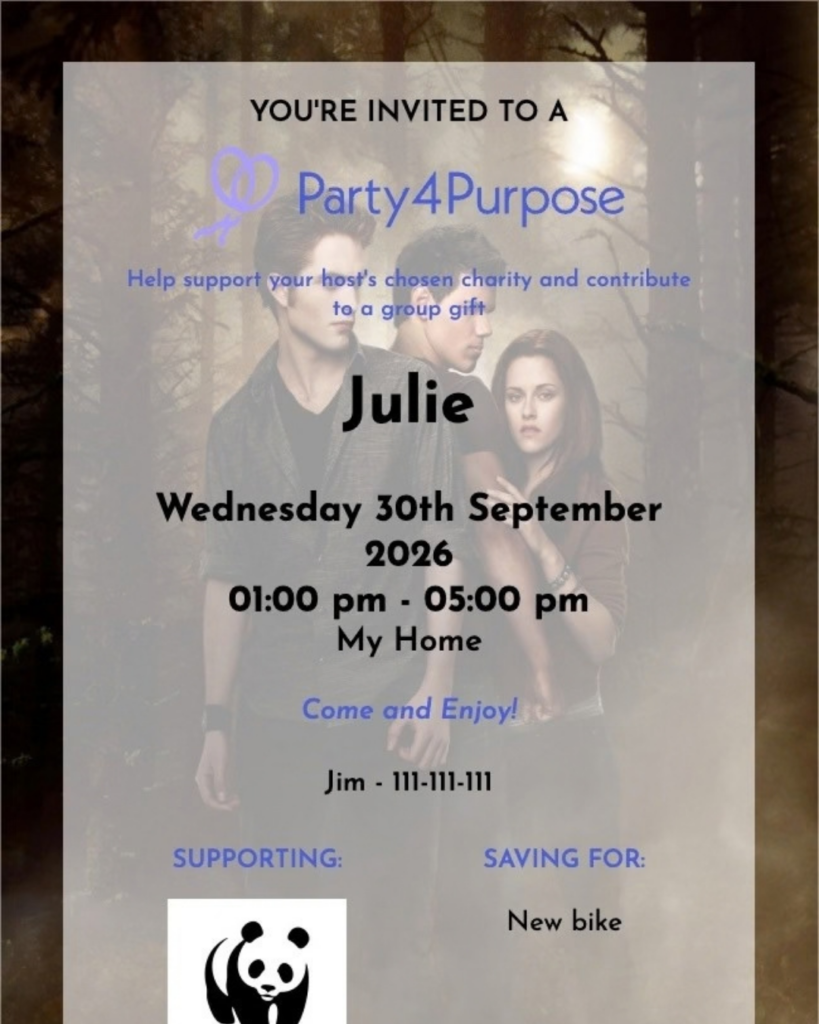
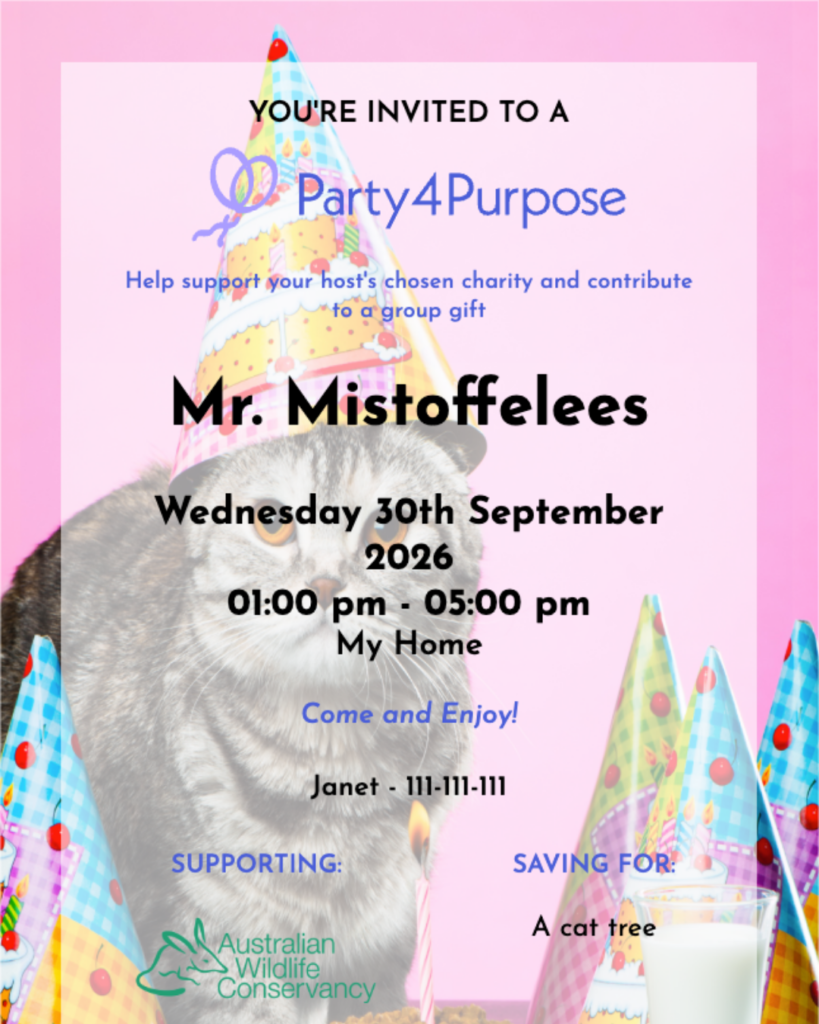
Planning a dinosaur birthday? Upload your best prehistoric backdrop. Throwing a birthday party for your cat and want their face front and centre? We support it. Deep in your Nicolas Cage phase? Completely valid.
Whether you’re planning a children’s birthday, milestone celebration, engagement, baby shower or something nobody else could possibly understand without a detailed explanation, you can upload your own invitation background and make your Party4Purpose page your own.
Because it’s your celebration. Your theme. Your extremely specific aesthetic. And we’re fully here for it.
Here’s how to add your own custom background to your Party4Purpose invitation.
Step 1
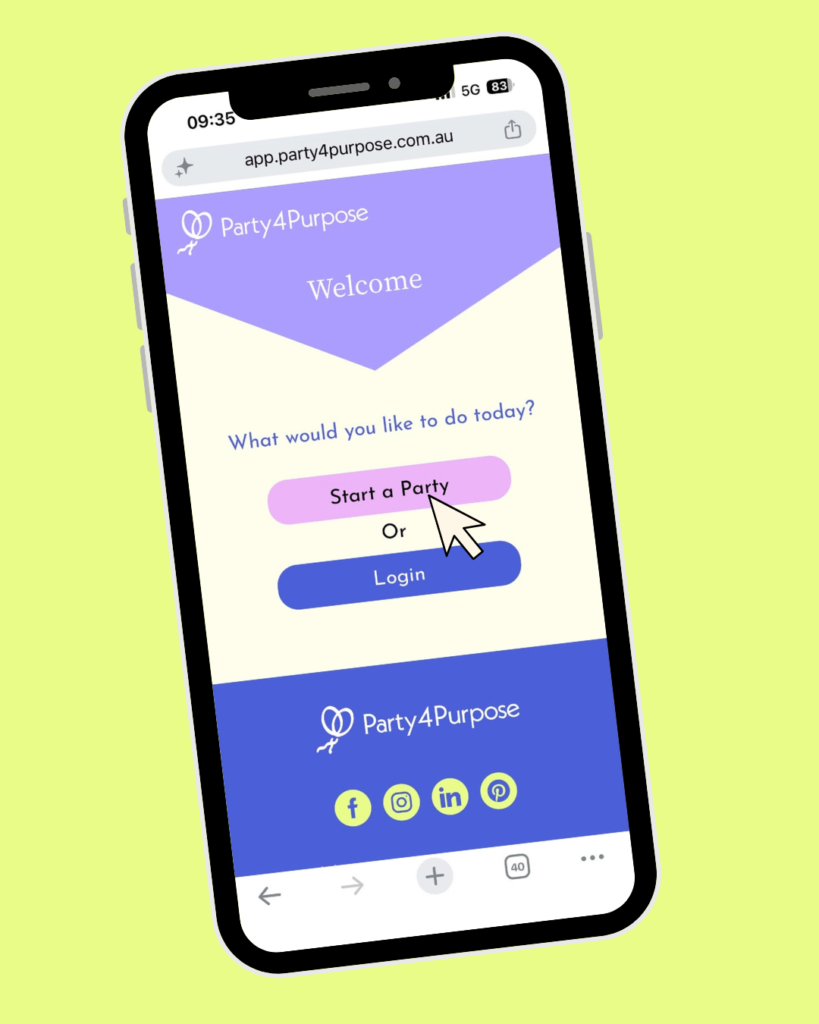
Log in to your Party4Purpose account and start a new party.
Step 2
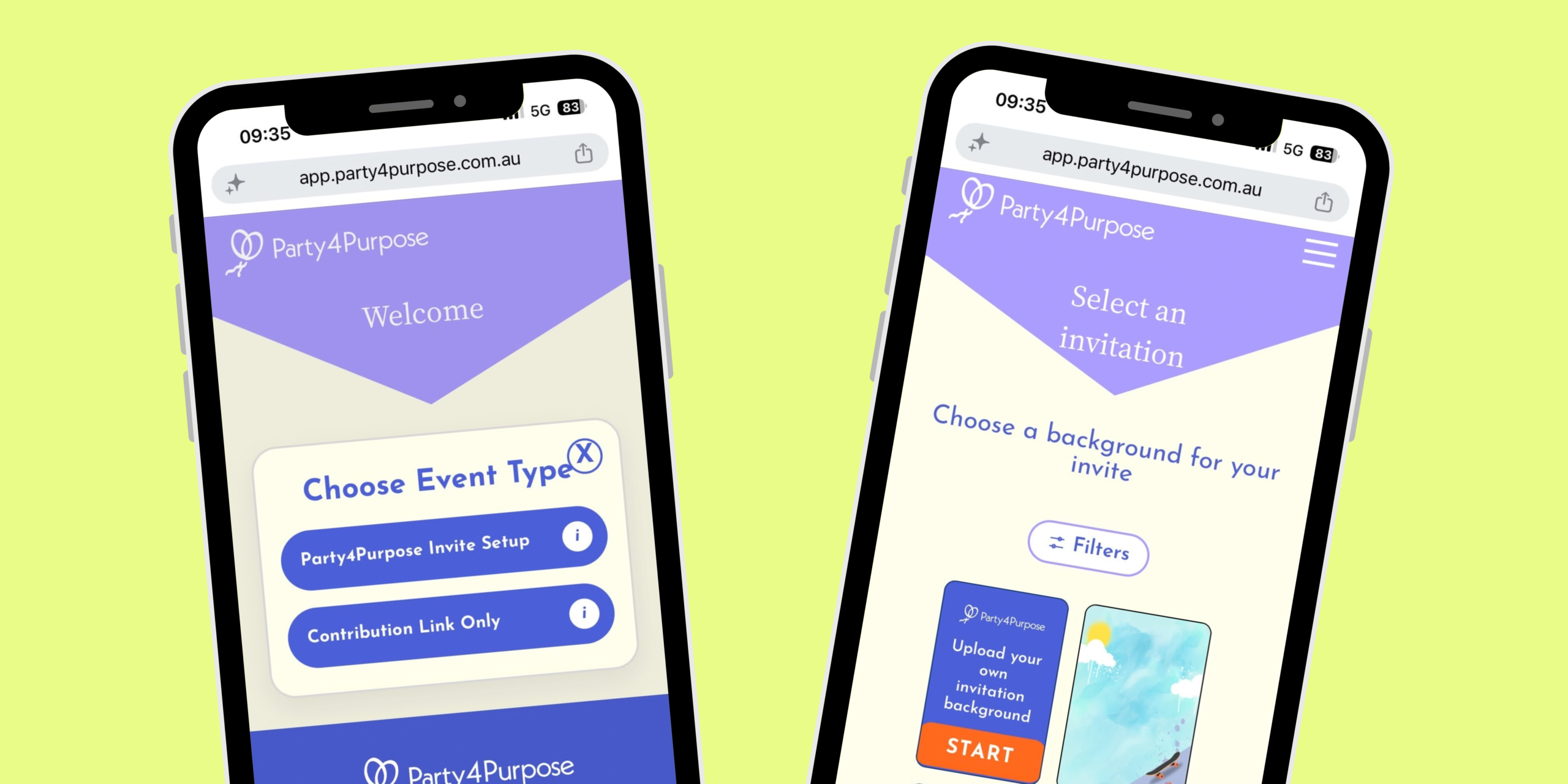
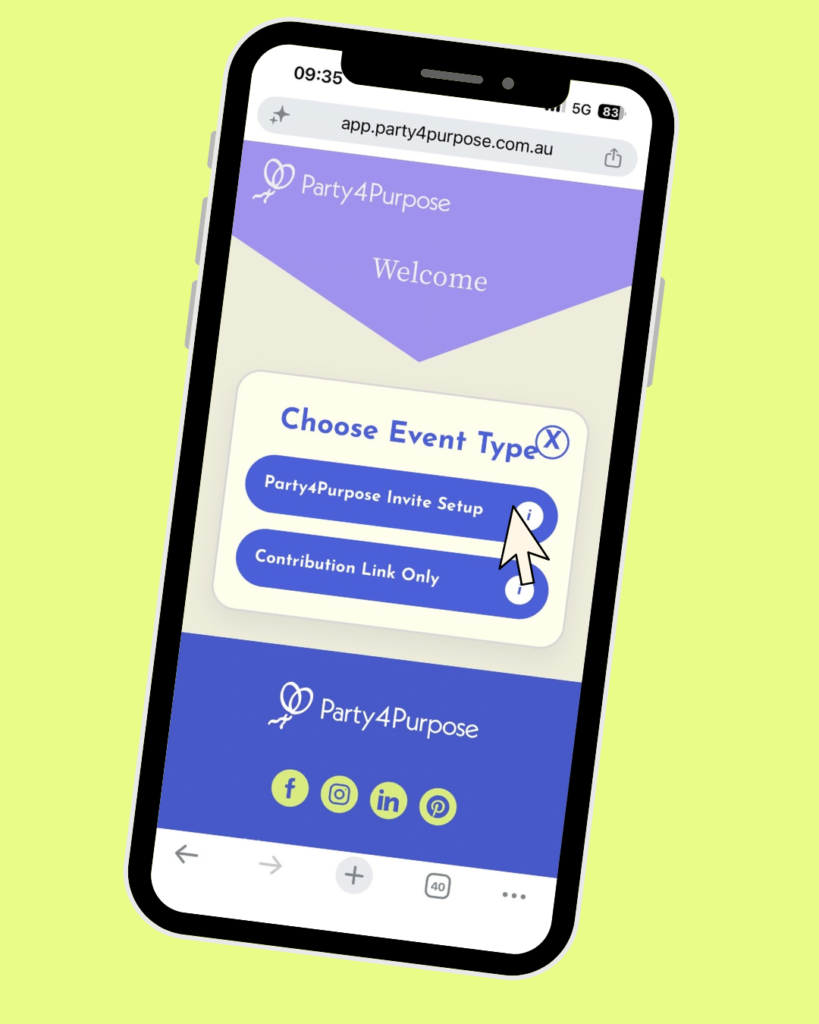
When setting up your invite, select the Party4Purpose invite option.
Step 3
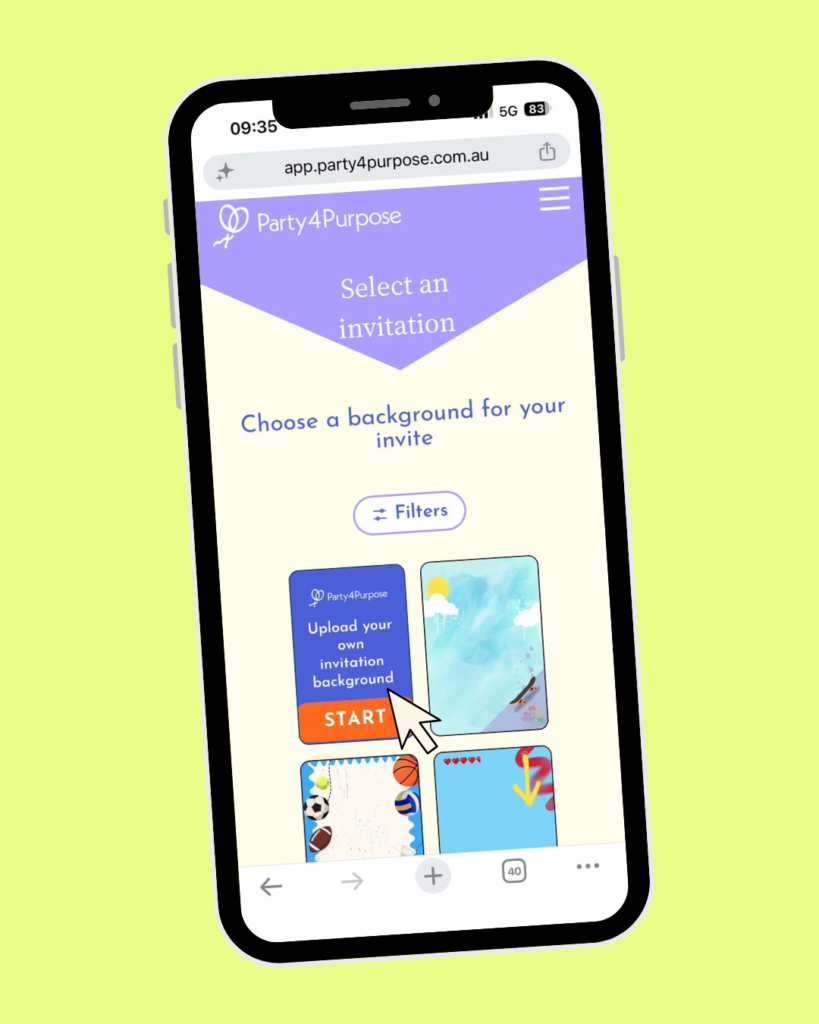
Click “Upload your own invitation background”.
Step 4
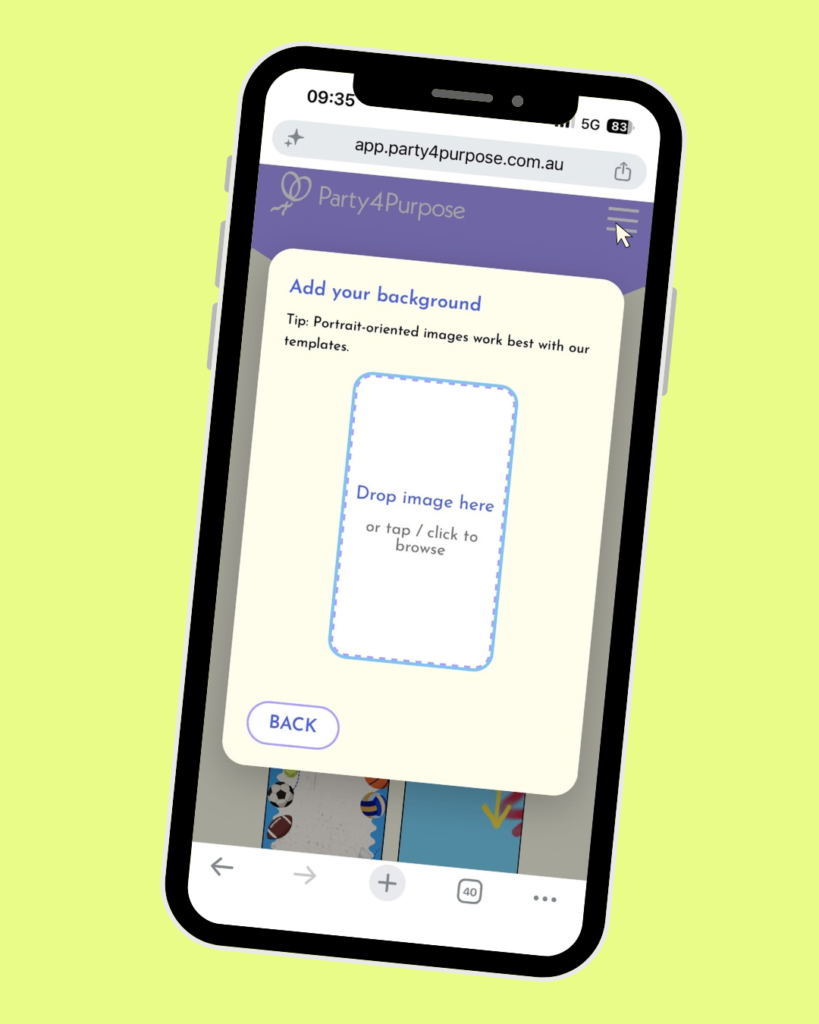
Drag and drop your image or upload directly from your gallery.
Add in your event details and you’re done! That’s it!
What kind of image should I use?
Pretty much anything that feels like you or the person you’re celebrating. Your invitation is one of the first things guests will see, so it’s a great opportunity to introduce the theme or personality of the party before they’ve even arrived.
For a children’s birthday, you could use a favourite animal, sport, character-inspired theme or photo of the birthday child. For an adult birthday, you might choose a favourite photo, destination, hobby or something based entirely around an inside joke.
Planning an engagement or wedding celebration? Choose an image of the couple or something that complements the style of the event. Having a party for your cat? Obviously use the cat.
Party invitation background ideas
If you’re not sure where to start, here are a few ideas:
For kids’ birthdays: dinosaurs, space, jungle animals, mermaids, superheroes, soccer, rainbows, construction, under the sea or their latest very specific obsession.
For milestone birthdays: a favourite photo, throwback picture, travel destination, hobby, decade theme or something that reflects the person you’re celebrating.
For baby showers: soft patterns, florals, family photos, illustrations or colours that match the rest of your celebration.
For engagements and weddings: couple photos, florals, destination imagery or a background that matches your stationery and event styling.
For something completely different: pets, memes, niche pop culture references, questionable childhood photos or whatever else makes your guests immediately think, “Yep, that’s very them.”
There aren’t any rules saying your invitation has to look like everybody else’s.

Tips for choosing a good invitation background
Keep the important part of the image away from the edges
Depending on the screen your guest is using, parts of a background image may be cropped slightly.
If you’re using a photo of a person, pet or important detail, try to keep the main subject closer to the centre of the image rather than right against an edge.
Avoid images with lots of text
Your Party4Purpose invitation already contains the information guests need.
If your background also contains lots of words, the overall invitation can quickly become difficult to read.
A photo, illustration, texture or relatively simple graphic usually works better than uploading a complete invitation design with all the details already included.
Think about readability
Remember that your party information needs to work alongside your chosen background.
Very busy images can make text harder to read, particularly if there are lots of contrasting colours and details.
If something feels difficult to read when you preview it, try a simpler image.
Use a good-quality image
Low-resolution images can become blurry or pixelated when they’re displayed at a larger size.
Where possible, upload the original version of your image rather than a screenshot or compressed copy.
Check your invitation on mobile
A lot of your guests will probably open their invitation on their phone.
Before sending it to everyone, have a quick look at your invitation on mobile and make sure you’re happy with how everything appears.
Can I create my background in Canva?
Absolutely. If you want a little more control over the look of your invitation, you can create a background image using Canva or another design tool and then upload the finished image to Party4Purpose.
You could add colours, patterns, photos, illustrations or other visual elements that match the rest of your party.
We recommend keeping text to a minimum in your uploaded design, as your important party details will already be added through your Party4Purpose invitation.
Think of your uploaded image as the background, rather than designing the entire invitation from scratch.
Can I use a photo as my Party4Purpose invitation background?
Yes. Photos are a great way to personalise your invitation, particularly for birthdays, engagements and other milestone celebrations.
You might use a favourite family photo, a recent picture of the person you’re celebrating or something funny that sets the tone for the event.
What if I’ve already made my invitations?
You don’t need to recreate them. If you’ve already made an invitation in Canva, ordered printed invitations, set up an event elsewhere or sent the details through WhatsApp, you can use Party4Purpose’s Contribution Link Only option.
Instead of using a Party4Purpose invitation, you’ll create your celebration and receive a unique contribution link.
You can then add that link to your existing invitation or send it separately to your guests.
They’ll be able to contribute towards your chosen gift and charity without needing to use a Party4Purpose invitation.
What if my custom background doesn’t look right?
Try uploading a different version of the image.
If your subject is being cropped, choose an image with a little more space around the important part. If the invitation feels too busy, try something simpler. If your image looks blurry, go back to the original photo or design and upload the highest-quality version you have available.
It’s also worth checking the finished invitation on both desktop and mobile before sharing it with your guests.
Make your celebration feel like yours
Party4Purpose is designed to make gifting and giving back easier, but that doesn’t mean every celebration has to look the same.
Your party can be elegant, colourful, chaotic, minimal, themed or completely ridiculous.
Upload a background that feels like you, choose one meaningful gift, select a charity you care about and create a celebration your guests will remember.
And if that background happens to feature your cat wearing a party hat?
Please know that we fully support your decision.
Ready to create yours?
Start a free Party4Purpose celebration and customise your invitation to match your party here.