
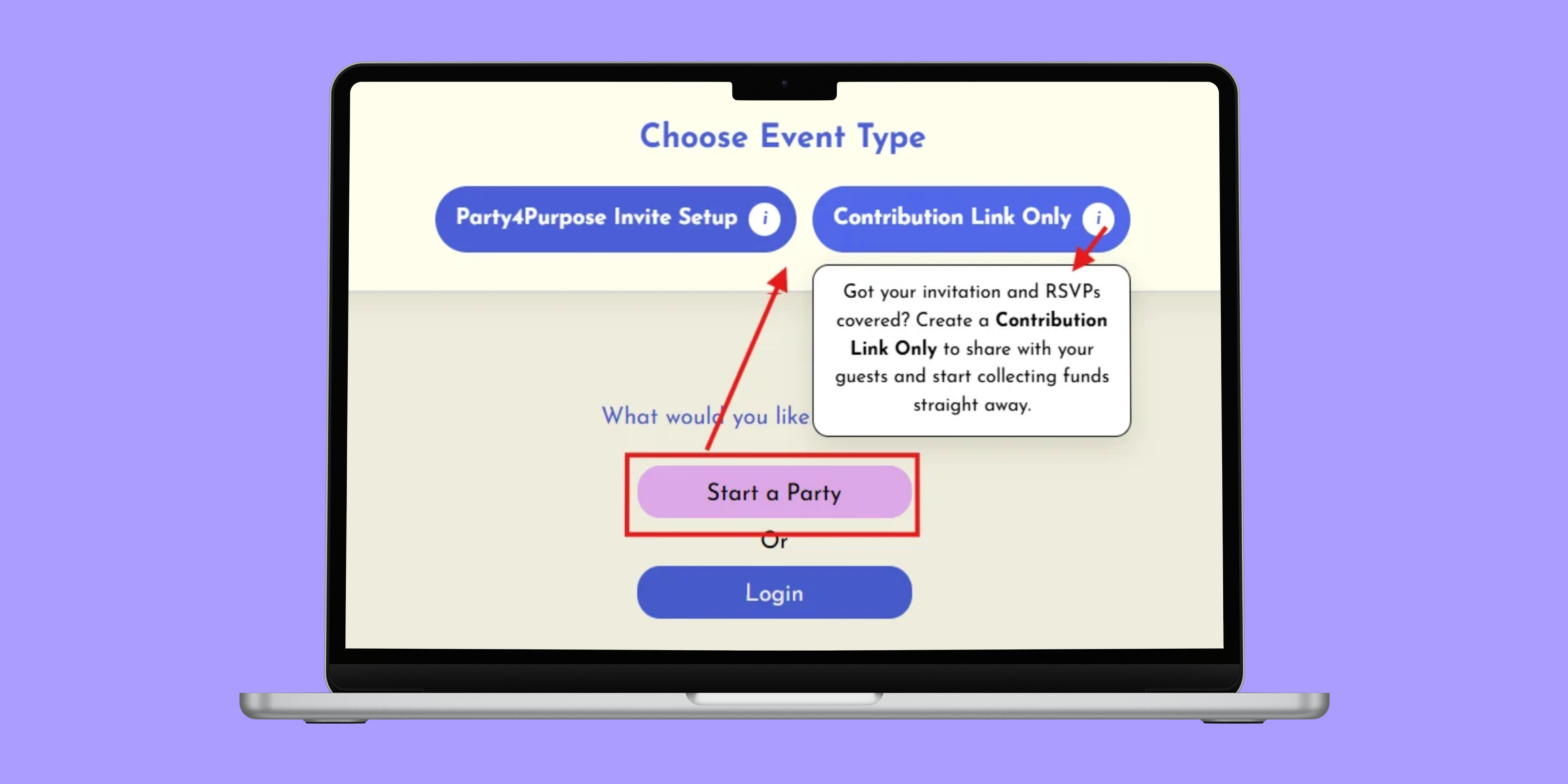

Already created your invitations somewhere else? No problem. Party4Purpose’s Contribution Link Only option lets you use the gifting and charity features of Party4Purpose without creating a full Party4Purpose invitation or managing RSVPs through the platform.
It’s perfect if you’ve created your invitations using another platform, such as Paperless Post or Canva, or if you already have your RSVPs organised elsewhere.
How Does the Contribution Link Work?
When you create your Party4Purpose event, you can choose the Contribution Link Only option.
You’ll still set up your group gift and select the charity you’d like to support, but instead of sending guests through the full invitation and RSVP process, you’ll receive a simple contribution link to add to your existing invitation.
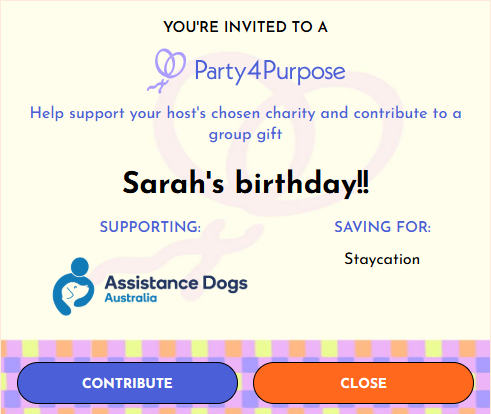
When guests open the link, they’ll see:
- Your event name
- Your group gift and description
- Your chosen charity
- The option to contribute
They can then make their contribution without completing an additional RSVP.
How to Set It Up
1. Start your party
Log in to Party4Purpose and select Start a Party.
2. Choose Contribution Link Only
Select the contribution-only option rather than creating a full Party4Purpose invitation.
3. Set up your gift and charity
Add the gift you’re hoping for, choose your charity and complete your event details.
4. Copy your contribution link
Once your event is ready, copy the unique link created for your celebration.
5. Add it to your invitation
Paste the link into your Paperless Post, Canva invitation, WhatsApp message, email or wherever you’re managing your invitations.
That’s it! Your guests can use the link to contribute towards your meaningful gift and chosen cause, while you continue managing invitations and RSVPs however you prefer.
Already Have Your Invitations Sorted?
You don’t need to start again. With Contribution Link Only, you can keep the invitations you love and simply add Party4Purpose to the celebration.